Mobile data · PRACTICAL GUIDE
China SIM vs travel eSIM vs roaming: a Shanghai arrival guide
In this guide
Choose based on two separate needs: internet on arrival and a phone number for your stay. A plan that gives you data does not necessarily give you a Chinese number. Confirm the exact device, coverage and plan details before paying.
Confirm mainland-China coverage and device compatibility, and keep your home number available for bank messages.
1. Compare the three options
This is an editorial decision guide, not a provider ranking or a list of live prices. The exact plan terms decide what you receive.
Swipe sideways to see all columns →
| Option | When to consider it | Check before purchase |
|---|---|---|
| Roaming with your home carrier | An arrival backup or a trip covered by your existing plan | Mainland-China coverage, activation, daily charges, included data and calls/SMS costs. |
| Travel eSIM | A short visit when your phone supports a compatible plan | Exact model and unlock status, activation date, data allowance, hotspot terms, and whether calls/SMS are included. |
| Local operator SIM | A longer stay when you need local service or a Chinese number | Passport registration, device compatibility, total price, top-ups, contract term and cancellation. |
2. Check your phone and the small print
For iPhone, Apple says using another carrier requires an unlocked device. Check Settings → General → About → Carrier Lock; an unlocked phone shows No SIM Restrictions. eSIM support can also vary by model and the market where the phone was sold.
For Android, use your manufacturer's instructions and ask the plan provider to confirm your exact model. A general 'eSIM-compatible' label is not enough to establish that this phone can use this particular plan.
- Confirm that the plan explicitly covers mainland China, rather than only Hong Kong or Macao.
- Ask when validity starts: purchase, installation or first connection. Save the provider's answer.
- Check the data allowance, speed limits, hotspot allowance and refund terms.
- Check whether you receive a number and whether calls or SMS are included.
- Keep installation instructions and the provider's support details accessible offline.
3. Prepare and test your arrival connection
Install an eSIM only according to that provider's instructions, with a reliable connection available. Installing early is useful only when it does not unintentionally start the plan's validity.
On supported dual-SIM phones, choose the travel line for data. Apple warns that keeping the home line active can still incur roaming charges. Ask your home carrier about incoming verification messages and charges rather than assuming they are free.
- Keep your home number accessible for banking verification, using your carrier's advice.
- Select the intended line for mobile data and follow the plan's roaming/APN instructions.
- When you arrive, open an ordinary web page and a map to test the connection.
- Save your accommodation's Chinese address before leaving the terminal.
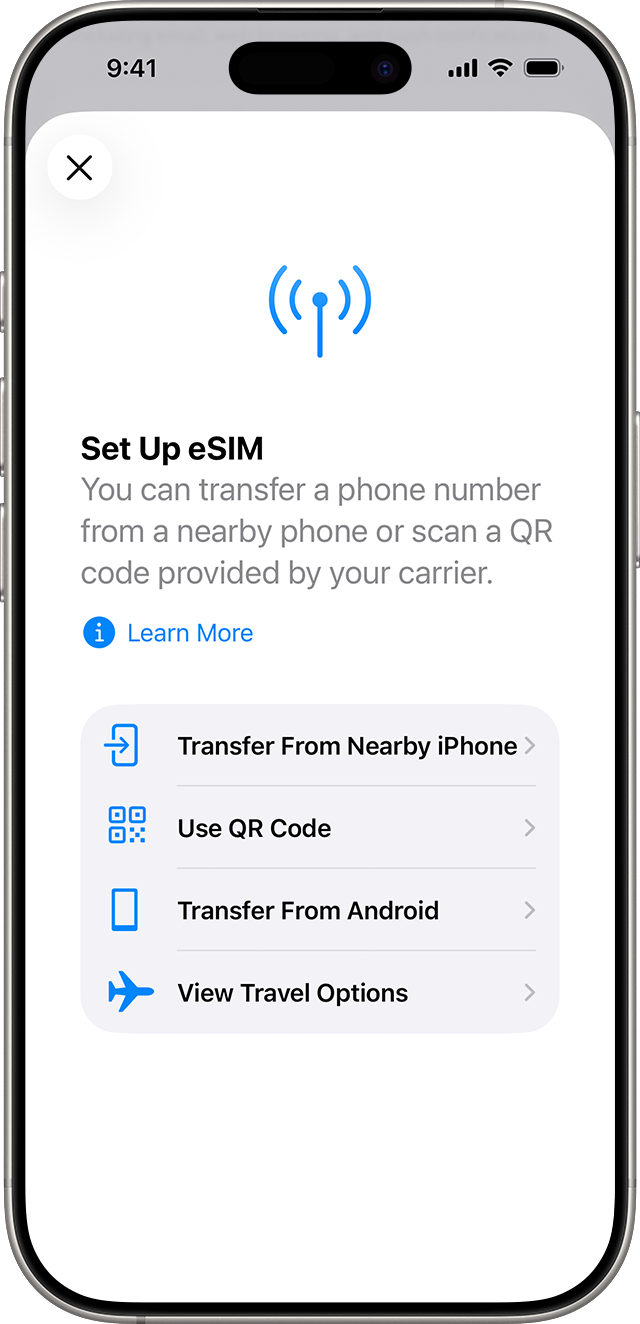
Official illustration: Apple Support
4. If you need a local SIM for study or a longer stay
Shanghai's official guide lists China Mobile, China Unicom and China Telecom stores. The in-person process includes choosing a package, showing your passport, and purchasing and registering the SIM.
Ask staff to confirm the full monthly cost, included data/calls, renewal and cancellation before registering. Have them help you activate and test service before leaving. Check whether your school needs a local number and whether it offers arrival assistance.
A China-mainland operator eSIM and a travel data eSIM are different products. Apple states that China-mainland operator eSIMs cannot be used on iPhones purchased outside mainland China. Ask the operator about your exact device; a physical SIM may be the appropriate route when supported.
5. If data does not work after landing
Use these checks in order and keep your saved route available while troubleshooting.
- Check that the plan covers this destination and is active with data remaining.
- Confirm the correct SIM is selected for data and its line is enabled.
- Follow the provider's instructions for data roaming and APN; settings differ by plan.
- Toggle airplane mode or restart as the provider advises, then test again.
- Contact provider support with the exact error. Avoid deleting an eSIM as a first step; ask how reinstallation works.
- Use your confirmed roaming backup or ask airport staff for connectivity help if the issue remains unresolved.
6. Keep essential information available offline
Save a translation pack, your accommodation details and the first route. Ask your university about approved access to its study systems. App access and connectivity depend on the network and plan; confirm services you rely on directly with your provider.
CHECK THE DETAILS
Sources & current information
Source information checked on 2026-10-03. Check changing details for your own trip using these links.